Put a QR code on the site board. New workers scan it at the gate, read your site induction and sign it on their own phone. Footing keeps the record.
Before you start
You need an induction form. Go to Safety, click the Templates tab, then Inductions. No induction yet? Click New template, set Form type to Induction, add your site rules and questions, and click Create form.
For an induction everyone does once, set Where it applies to When a worker joins (one-off site induction). Pick Every 12 months, renew annually under When it’s required if it needs doing again each year.
Make the QR code
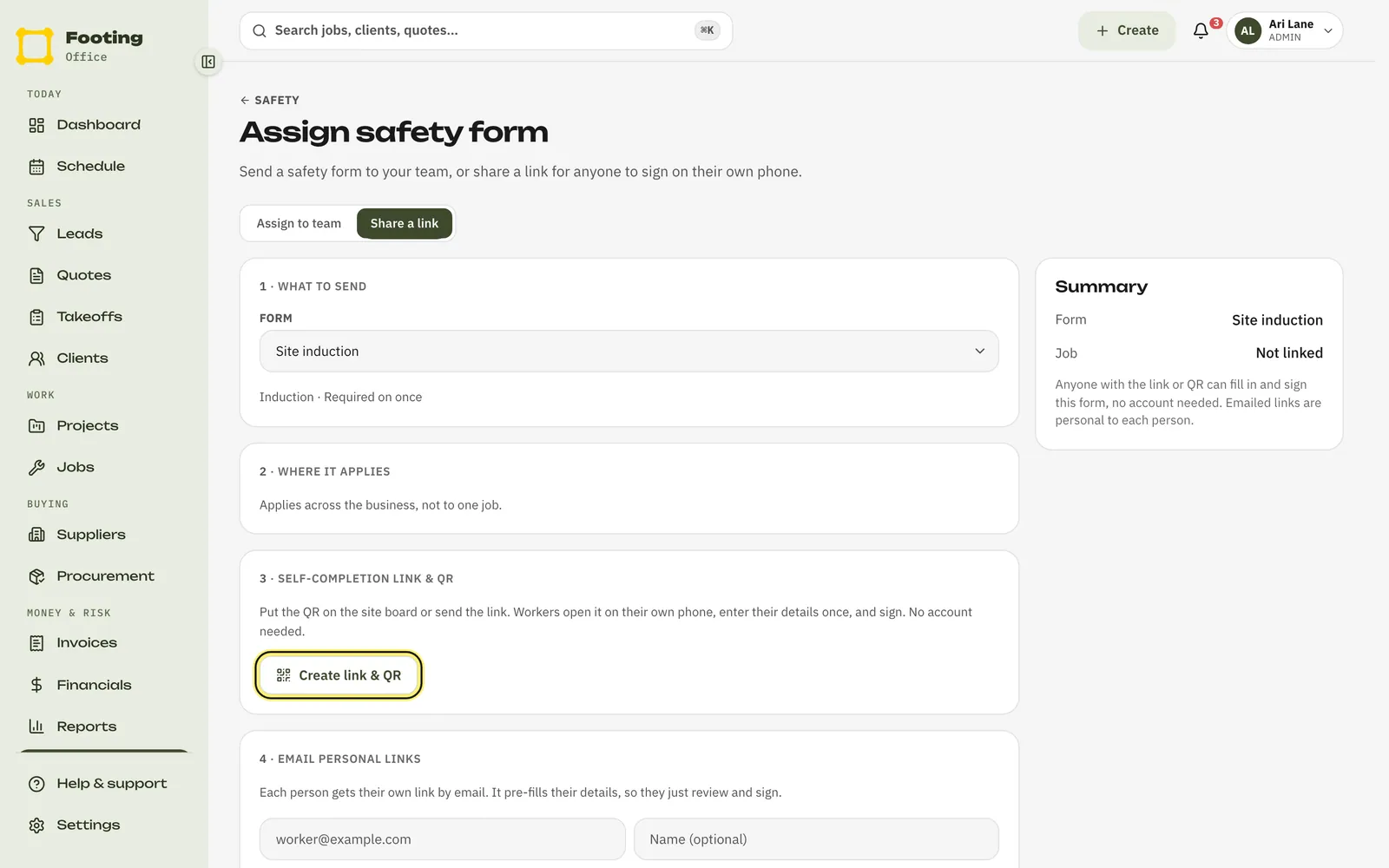
On the Templates tab, click your induction, then Assign.
Click Share a link.
If the induction is set up for a job, pick the Job.
Click Create link & QR.
Footing shows the QR code with the link beside it. Print the page, or take a screenshot, and stick the QR code on your site board. Click Copy link to text it to someone instead.
What workers see
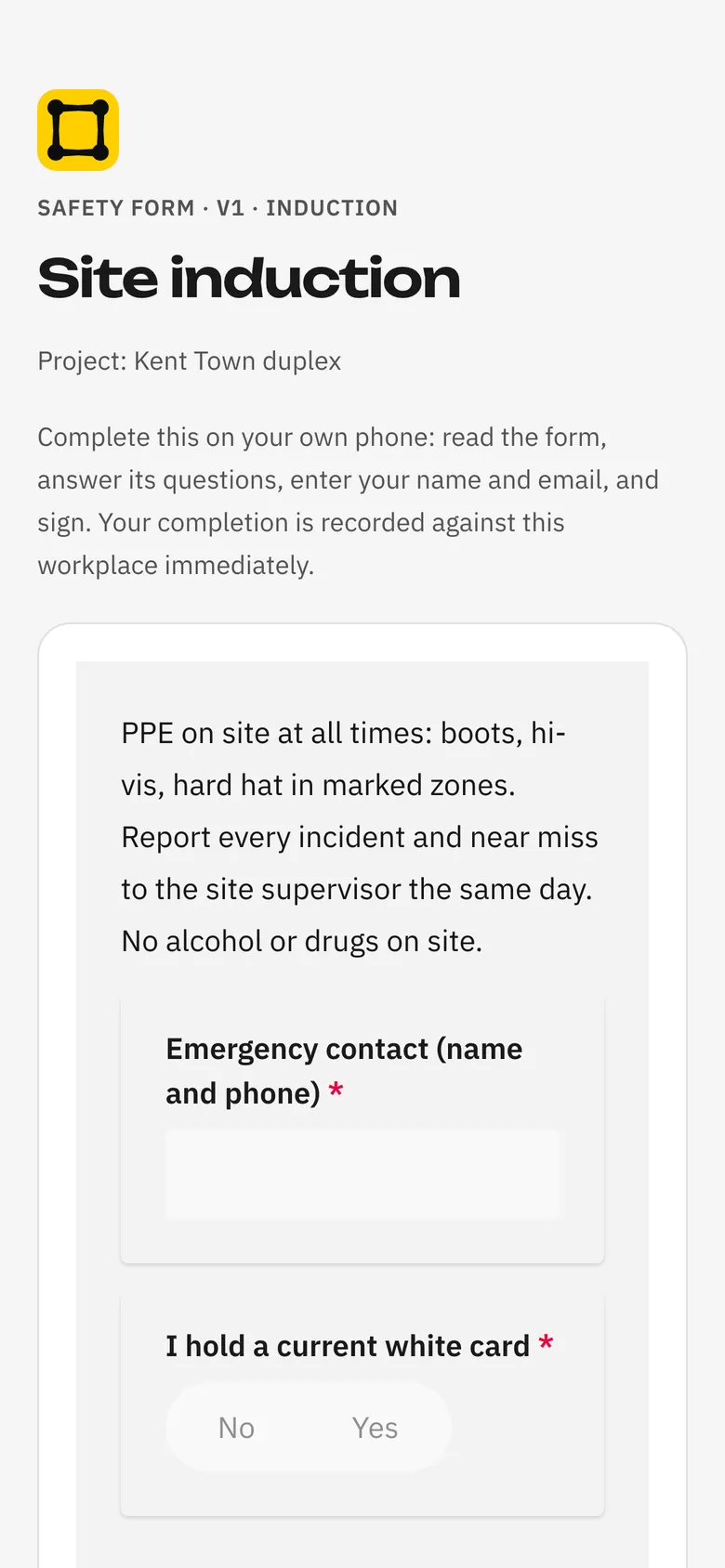
They scan the QR code with their phone camera.
Your induction opens in their browser. No app and no login needed.
They read it and answer the questions.
Then they fill in Your name and Your email, sign with their finger, tick that they’ve read and understood it, and tap Sign and submit.
They see “All done”.
Their answers, signature, name and the date are saved. If they sign another form later with the same email, Footing puts it on the same record.
Where signed inductions show up
- Safety, Forms tab: Completion by form counts how many have signed.
- If the link was for a job, each signed form also shows on that job’s Safety tab, and on the project’s Safety tab.
Subbies with a Footing login
Subbies you’ve given a login (the Contractor role) must have a current induction. Until they do, opening Today or Work orders takes them to a page that says Complete your induction first.
They tap the Start button with your induction’s name on it.
It uses your active induction set to When a worker joins. If you have more than one, it uses the one for your state first.
They read it, answer the questions and sign.
Then they tap Continue, and Footing takes them back to where they were.
An annual induction asks them again when it runs out. Your own staff with the Technician role aren’t asked. The Attention tab on the Safety page lists field workers whose induction is missing or has run out.
Related guides
Still stuck? Email support@folkware.com.au and tell us what you were trying to do.