Bring your office staff, crew and subbies into Footing. Each person gets a role, and the role decides what they can see and do.
Pick the right role
- Admin — owners. Everything, including billing and who's on the team.
- Office — estimators and accounts. Quotes, invoices, scheduling and safety. Can't change billing.
- Technician — your lead hands and supervisors. They see their day on site, not the money.
- Contractor — your subbies. They only see the jobs you put them on.
Invite someone
Go to Settings, then Team & access.
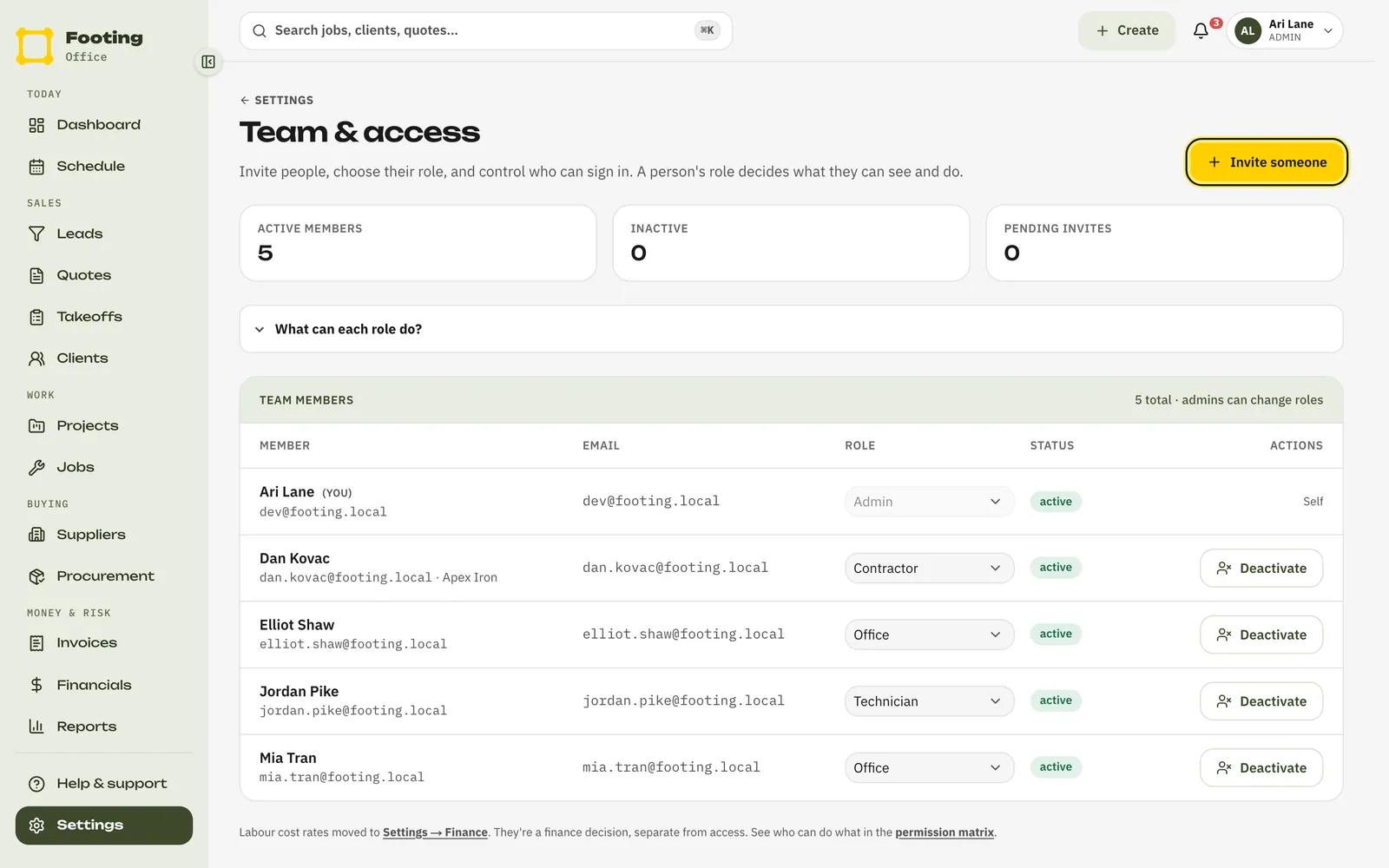
Click Invite someone.
Type their email and pick their role.
If you've set up teams, you can put them in one now. It's optional.
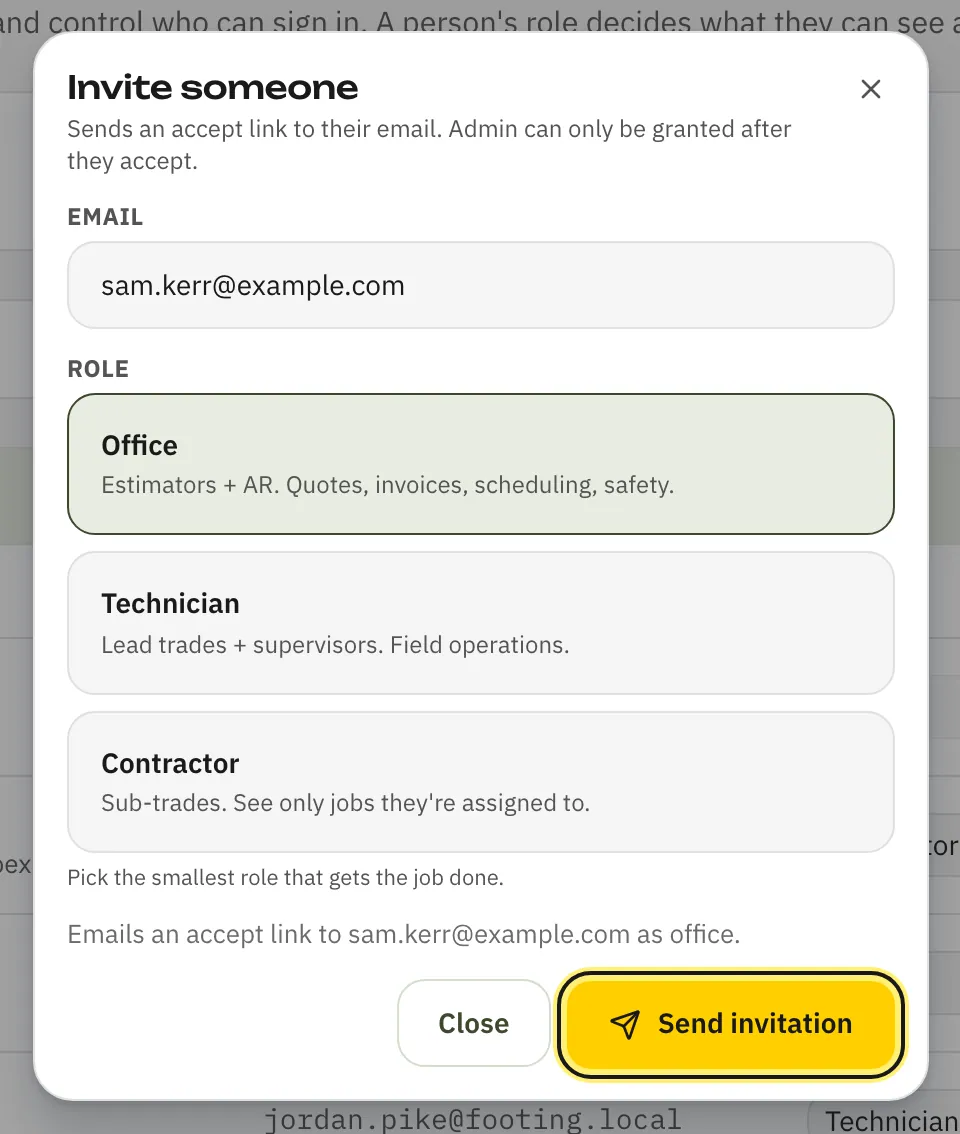
Click Send invitation.
Footing emails them a link. The link also shows on screen with a Copy button, so you can text it to them if email is slow.
What they see
An email from Footing saying you invited them, with an Accept invitation button. They open it, enter the code Footing emails them, and add their name. Subbies also add their business name and ABN. Then they're in.
After you've sent it
- The invite sits under Pending invitations until they accept. Use Copy link to send it again, or Revoke if it went to the wrong person.
- Once they've joined, change their role from the Role list next to their name. Making someone an admin asks you to confirm first.
- When someone leaves, click Deactivate. They lose access straight away, and their history stays. You can Reactivate them later.
Next: put your crew on a job.
Related guides
Still stuck? Email support@folkware.com.au and tell us what you were trying to do.