Ask your client, engineer or architect a question in writing (an RFI). See when they’ve opened it, chase them if they go quiet, and keep their answer on the project.
Raise an RFI
Open the project and click Raise RFI at the top.
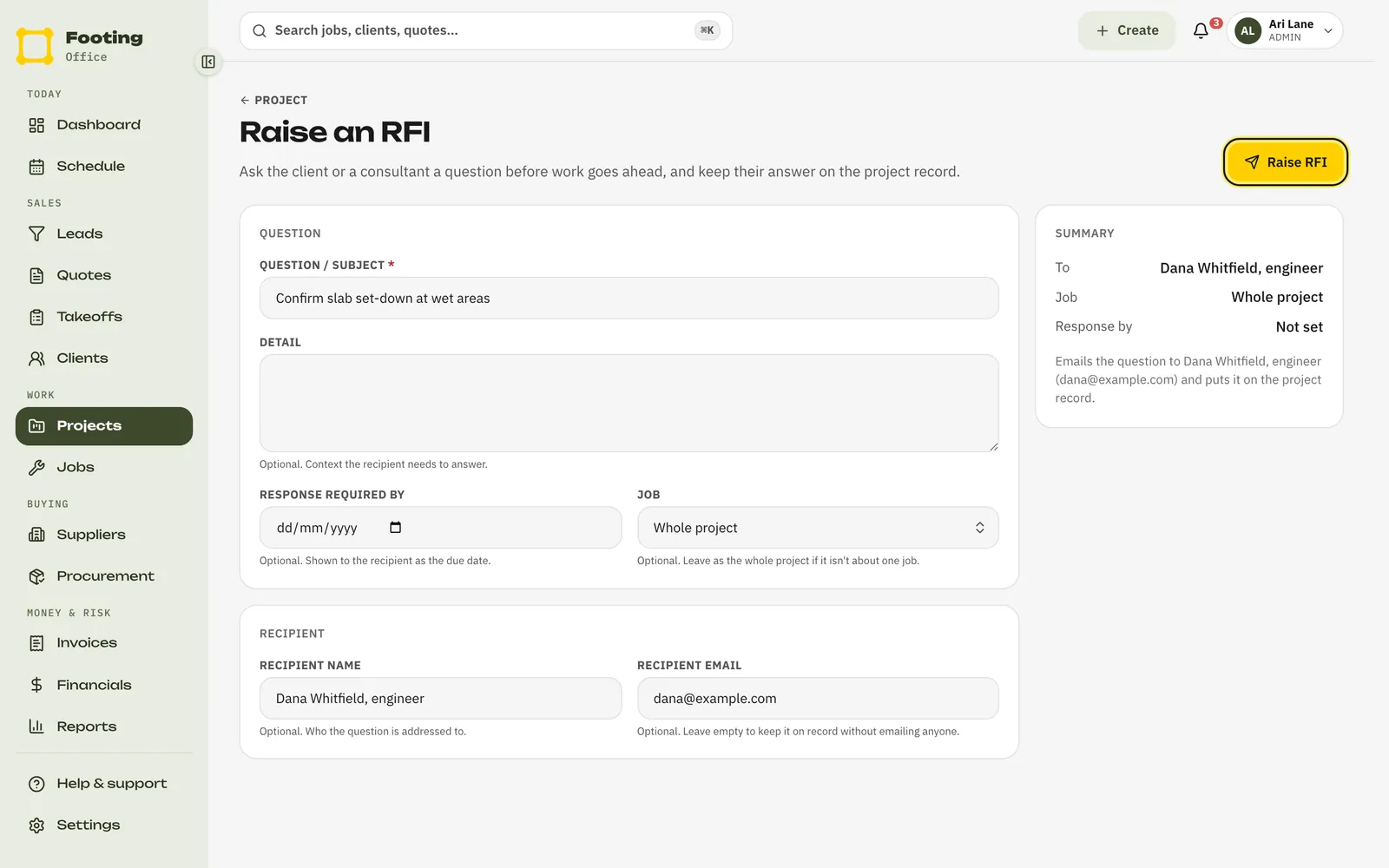
Write the question.
Question / subject is the short version. Put anything else they need to answer it in Detail.
Add a due date and a job if you need them.
Response required by is shown to them as the due date. Leave Job on Whole project unless the question is about one job.
Say who it’s for.
Fill in Recipient name and Recipient email. Leave the email empty to keep the question on record without emailing anyone. The Summary on the right says exactly what will happen.
Click Raise RFI.
Footing numbers it and, if you added an email, sends it. If the email can’t be sent, Footing tells you. The RFI is still saved, so contact them another way.
What they see
An email with your question.
The subject reads “RFI-001 from [your business] — [your question]”. It has the detail, the due date if you set one, and an Acknowledge this RFI button.
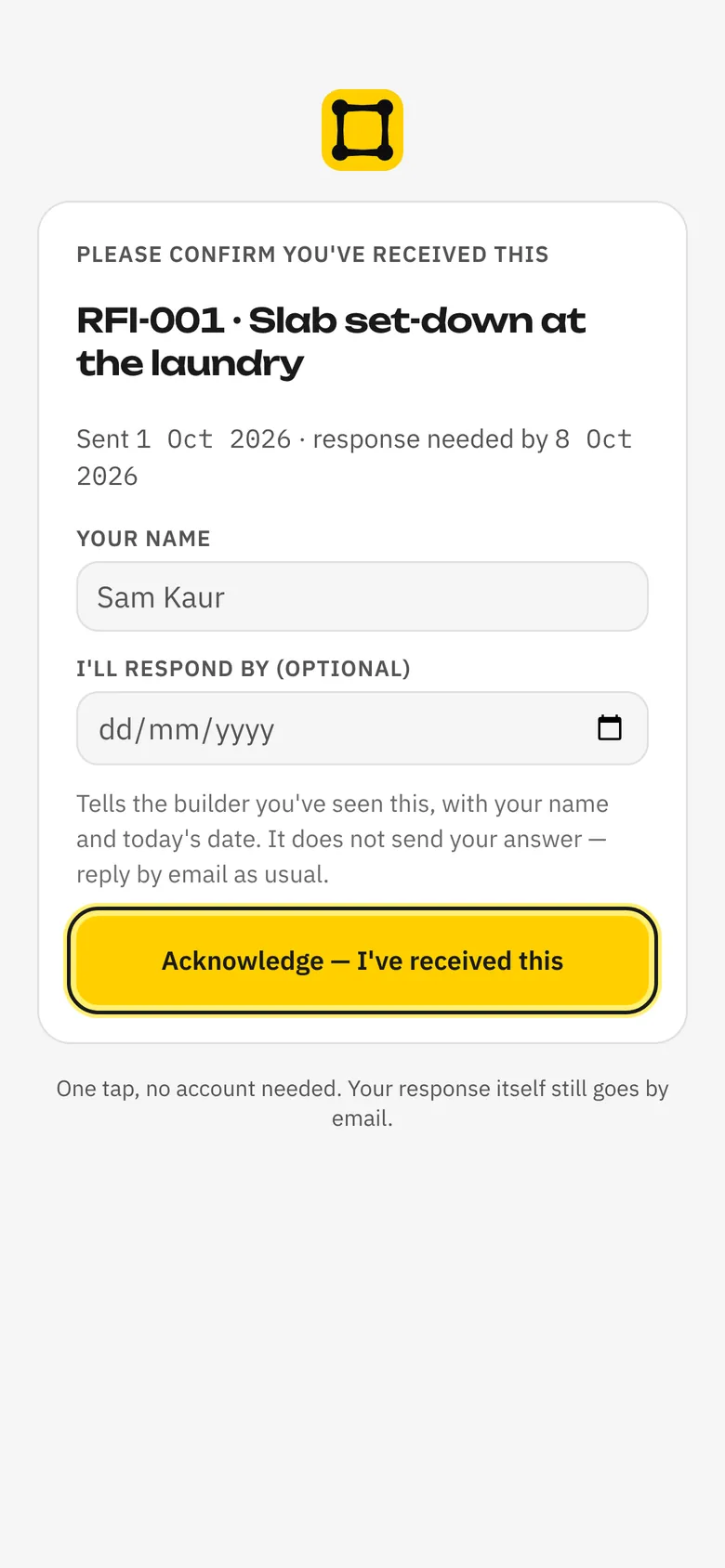
A page to say they’ve got it.
They type their name and, if they like, the date they’ll answer by. Then they tap Acknowledge — I’ve received this. No login needed.
Their answer, sent to you the usual way.
The page doesn’t take their answer. They email or call you with it, and you record it in Footing.
Chase it on Awaiting response
Awaiting response lists everything you’ve sent that still needs an answer: RFIs, closeout items you’ve chased, and more. Overdue items are at the top, then the oldest.
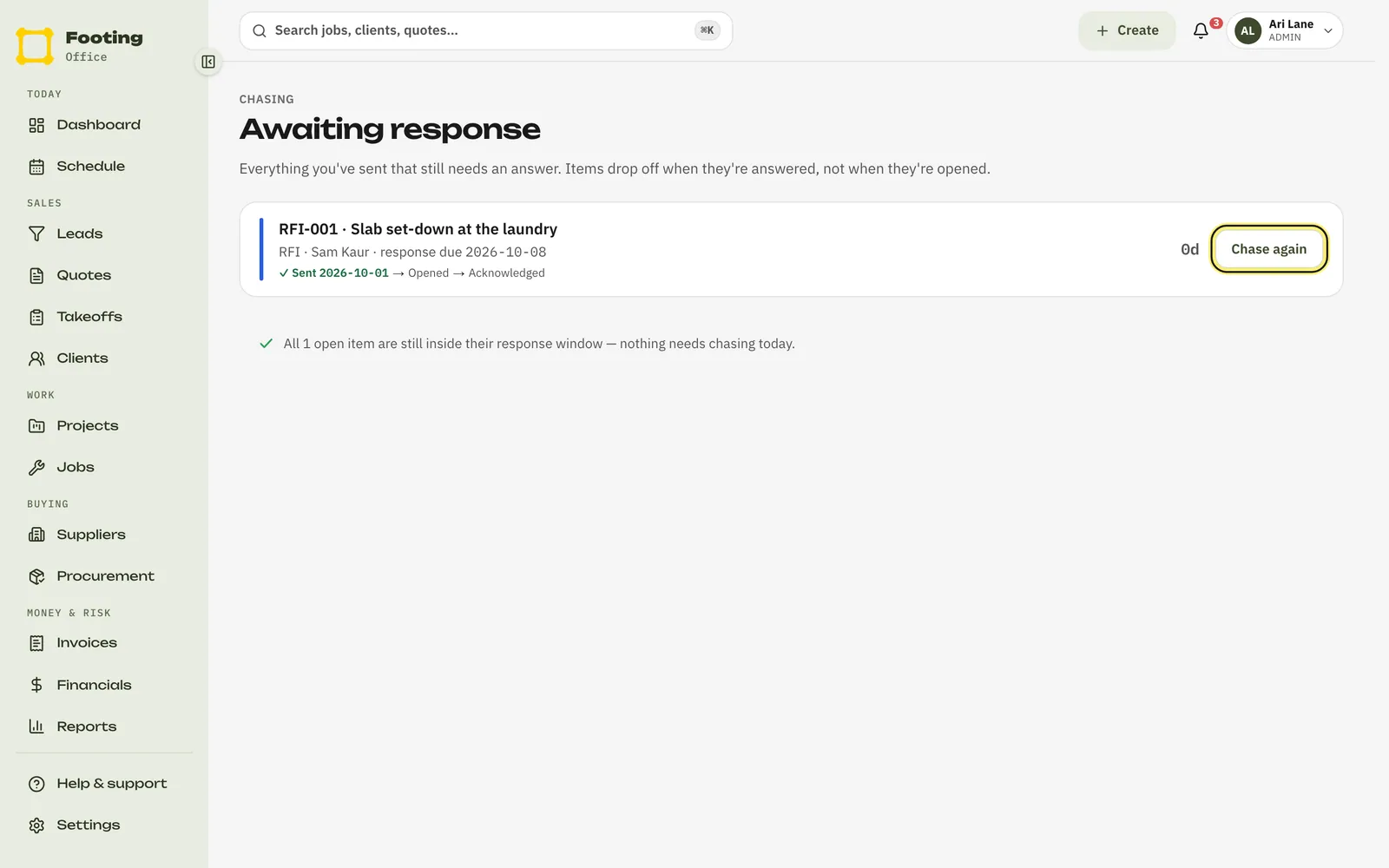
Each item shows how far it’s got:
- Sent — with the date.
- Opened — they opened the link.
- Acknowledged — they said they’ve got it, and who they are.
- Promised by — the date they said they’d answer by.
Click Chase again to email them again with the same link. The subject reads “Still waiting: RFI-001 · [your question] — [your business]”, with an Acknowledge & set a date button. Each chase is counted on the item.
Record the answer
Open the project. In the RFIs box, click Record answer next to the RFI.
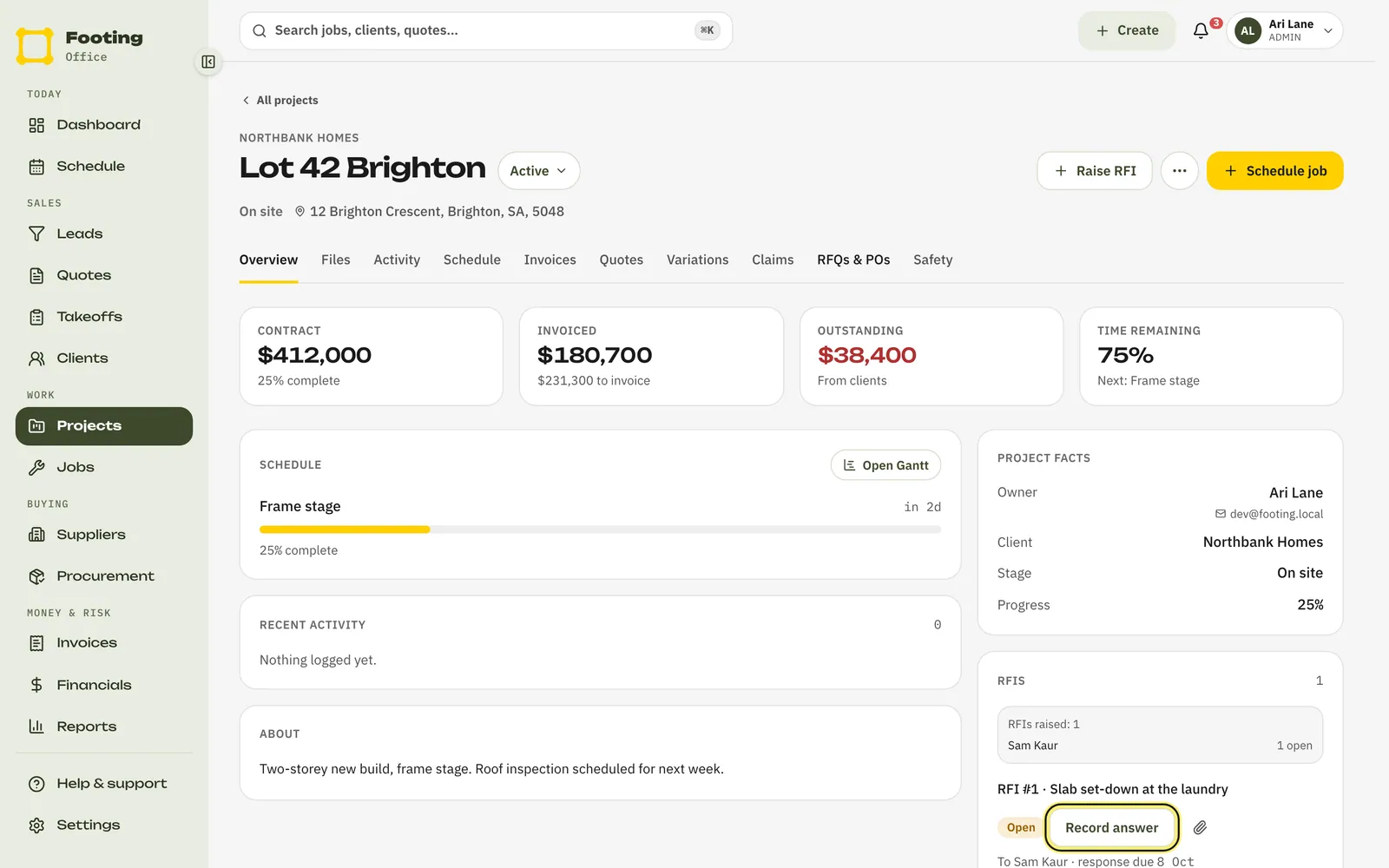
Type or paste their answer.
Put it in Answer. Answer received starts at today. Change it if the answer came earlier.
Click Record answer.
The RFI is marked Answered and comes off Awaiting response. The answer shows under the RFI on the project.
Does the answer change the price or the program? Raise a variation.
Related guides
Still stuck? Email support@folkware.com.au and tell us what you were trying to do.